Python 개발 환경 구축
1. Python Download
https://www.python.org/downloads/
Download Python
The official home of the Python Programming Language
www.python.org
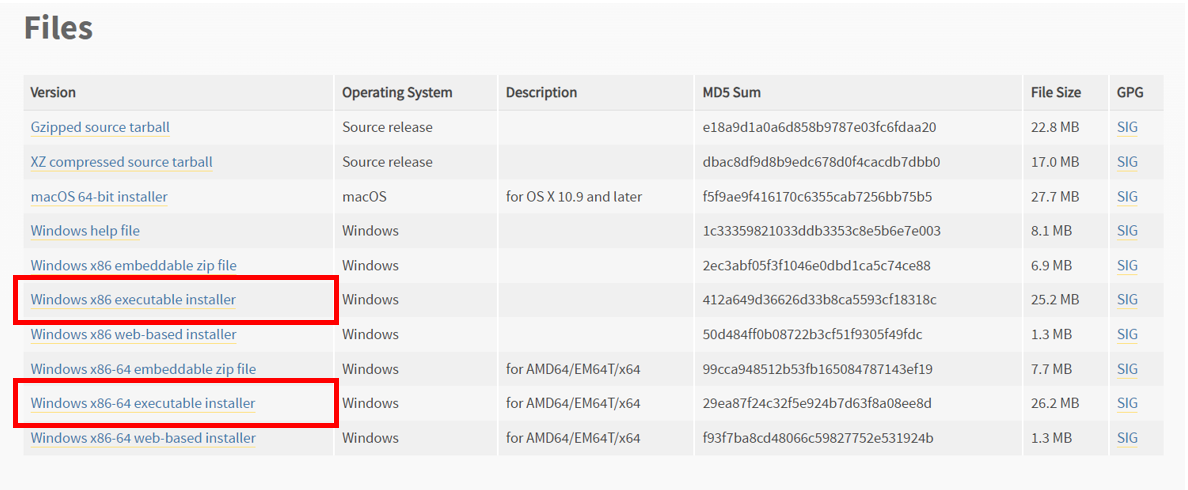
Python 홈페이지에 들어가서 다운로드하고자 하는 버전의 Python 파일을 다운로드합니다.

특정 Python 버전을 다운로드하고 싶다면 원하는 버전을 찾아 다운로드합니다.

사용할 컴퓨터 사양을 확인하여 다운로드합니다.
- 32비트 운영 체제 : Windows x86 executable installer
- 64비트 운영 체제 : Windows x86-64 executable installer
2. Python 설치

Python 다운로드 확인하는 방법
단축키 [윈도키 + R ]로 윈도우 실행창을 띄우고 > 'cmd' 를 입력하고 > 확인 버큰을 누르면 명령 프롬프트 창이 실행됩니다.

그다음 파이썬 버전 명령어를 입력하여 출력값이 나오면 설치 완료입니다.
python --version
3. VS code 다운로드 및 설치
vscode 홈페이지에 들어가 윈도우 전용 프로그램을 다운로드하여 설치합니다.
https://code.visualstudio.com/download
Download Visual Studio Code - Mac, Linux, Windows
Visual Studio Code is free and available on your favorite platform - Linux, macOS, and Windows. Download Visual Studio Code to experience a redefined code editor, optimized for building and debugging modern web and cloud applications.
code.visualstudio.com

설치가 완료되면 프로그램을 실행합니다.

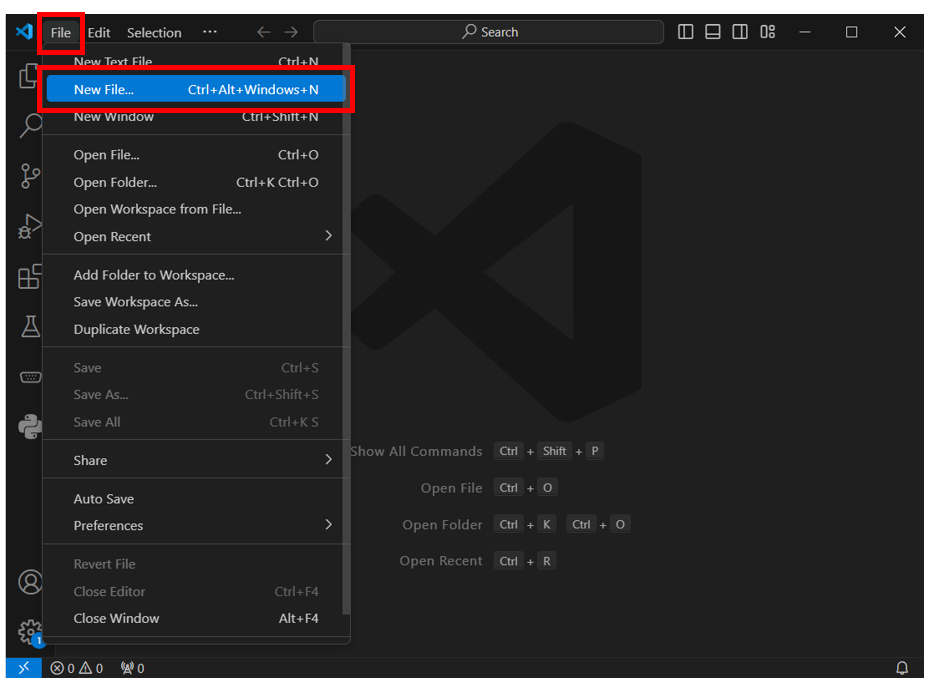
프로그램을 열고 File 메뉴에서 New File 메뉴를 클릭합니다.
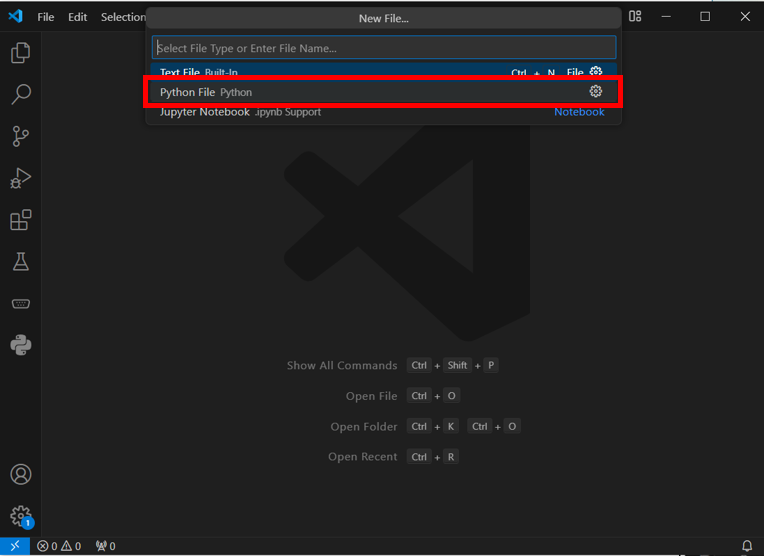
아래와 같이 Ptrhon File 이라는 창이 나오면 정상적으로 설치가 완료되어 파이썬 코드는 개발할 수 있습니다.
'프로그래밍 언어 > Python' 카테고리의 다른 글
| [Python] 가상환경(Virtual Environment)의 개념과 사용법 (Windows) (0) | 2024.07.25 |
|---|---|
| [Python] .ini 파일의 개념과 사용 방법 (0) | 2024.07.25 |
| [Python] TCP/IP 소켓 통신 (Server/Client) (2) | 2024.07.24 |


